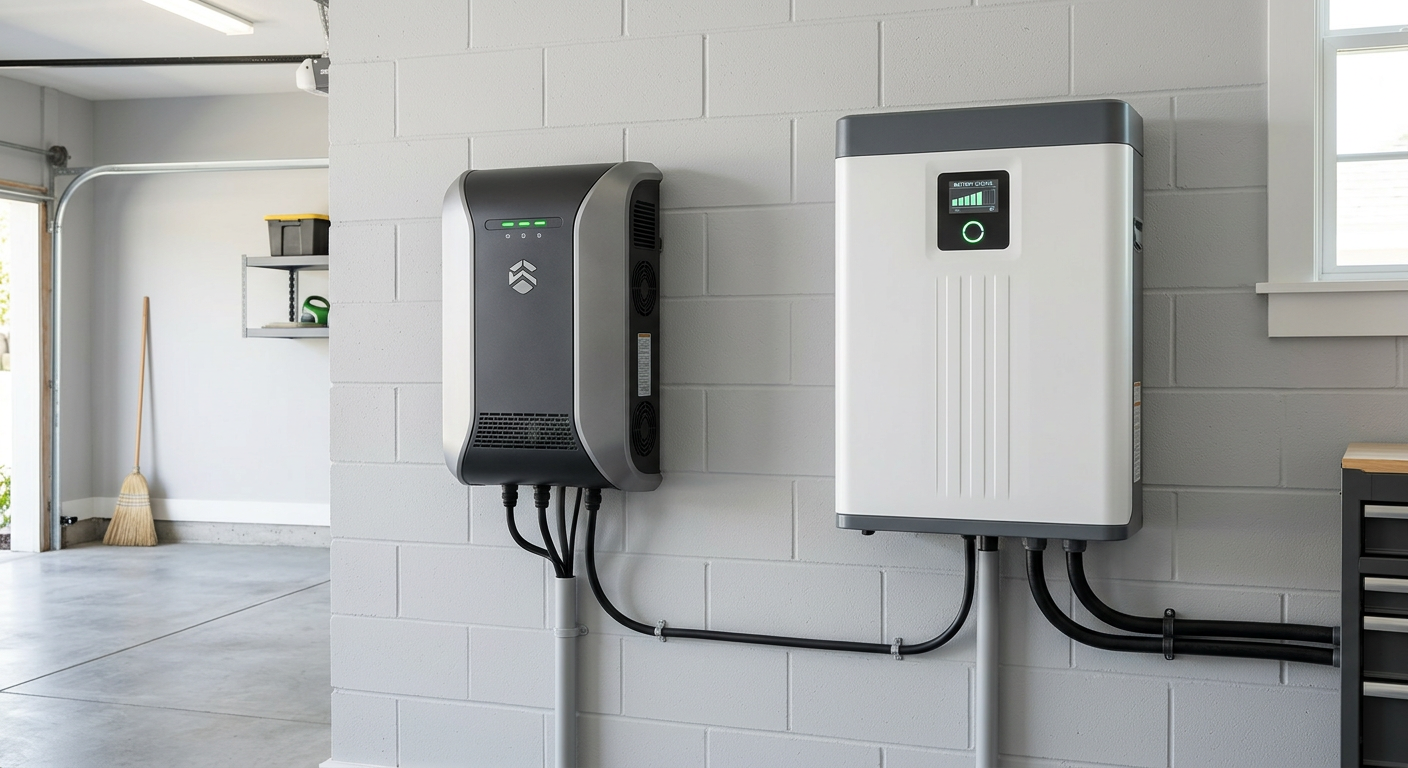
One of the most important decisions when adding battery storage to your solar system is what you want the battery to power during an outage. Do you want every circuit in your home to function normally? Or are you comfortable backing up only the essentials — lights, refrigerator, internet, and a few outlets?
This choice between whole-home backup and partial (essential) backup drives your battery sizing, cost, and system design. Getting it right means you are prepared for outages without overspending on capacity you do not need.
Understanding the Difference
Partial Backup (Essential Loads Panel)
With partial backup, your installer creates a dedicated "essential loads" subpanel containing only the circuits you choose to back up. During an outage, the battery powers only these circuits; everything else in your home goes dark.
A typical essential loads panel includes:
- Refrigerator and freezer
- Selected lighting circuits
- Kitchen outlets (for small appliances)
- Internet router and modem
- Garage door opener
- Security system
- Gas furnace blower (if applicable)
- Phone and device charging
Total continuous power draw: 500 to 2,000 watts (depending on which loads are active)
Whole-Home Backup
With whole-home backup, the battery and its transfer switch are configured to power your entire electrical panel during an outage. Every circuit functions normally — air conditioning, electric cooking, laundry, EV charging, and all other loads.
Total continuous power draw: 3,000 to 12,000+ watts (depending on what is running simultaneously)
Load Calculations: Know Your Numbers
Before choosing between whole-home and partial backup, you need to understand your home's electrical loads. Here are typical residential loads and their power requirements:
Essential Loads
| Appliance | Running Watts | Starting Watts |
|---|---|---|
| LED lights (10 bulbs) | 100W | 100W |
| Refrigerator | 150-400W | 1,200W |
| Freezer (chest) | 100-300W | 900W |
| Wi-Fi router | 10-20W | 10-20W |
| Phone charger | 5-20W | 5-20W |
| Laptop charger | 50-100W | 50-100W |
| TV (55") | 80-120W | 80-120W |
| Garage door opener | 500W | 1,100W |
| Gas furnace blower | 300-500W | 800-1,200W |
| Sump pump | 500-1,000W | 1,500-2,500W |
| Security system | 15-30W | 15-30W |
Total essential loads (typical): 1,000-2,000W continuous, 3,000-5,000W peak
Heavy Loads
| Appliance | Running Watts | Starting Watts |
|---|---|---|
| Central air conditioning | 3,000-5,000W | 5,000-7,000W |
| Electric water heater | 4,000-5,500W | 4,000-5,500W |
| Electric range/oven | 2,000-5,000W | 2,000-5,000W |
| Electric dryer | 4,000-5,500W | 5,000-6,000W |
| EV charger (Level 2) | 7,200-9,600W | 7,200-9,600W |
| Hot tub | 1,500-6,000W | 3,000-8,000W |
| Well pump | 700-2,000W | 1,500-4,000W |
| Space heater | 1,000-1,500W | 1,000-1,500W |
Total whole-home load (worst case): 8,000-15,000W+ continuous
Starting Watts Matter
Many appliances — particularly those with motors (AC compressor, sump pump, refrigerator, well pump) — draw significantly more power at startup than during continuous running. Your battery system must handle these startup surges without tripping.
A single Enphase IQ Battery 5P provides 3.84 kW continuous and 7.68 kVA peak. This handles essential loads comfortably but cannot start a central air conditioner.
A single Tesla Powerwall 3 provides 11.5 kW continuous and 185 amps peak. This handles most whole-home scenarios, including starting an air conditioner.
Partial Backup: Design and Sizing
Essential Loads Panel Design
Your installer creates a subpanel with circuit breakers for your chosen essential loads. During normal operation, these circuits are powered from the grid (through the battery's transfer switch). During an outage, the transfer switch disconnects from the grid and the battery powers only the subpanel circuits.
Design considerations:
- Which circuits to include: Think about what you genuinely need during a 24 to 72 hour outage. Lights, refrigerator, and internet cover basic needs. Add furnace blower if you have gas heat, sump pump if flooding is a risk.
- Circuit selection is permanent (or requires electrician work to change). Choose carefully during system design.
- Avoid mixing essential and non-essential loads on the same circuit. If your kitchen lights and kitchen outlets share a circuit with non-essential items, your installer may need to split the circuit.
Battery Sizing for Partial Backup
For essential loads drawing 1,000 to 1,500W continuously:
| Battery | Capacity | Backup Duration (1 kW load) | Backup Duration (1.5 kW load) |
|---|---|---|---|
| Enphase 5P (1 unit) | 5 kWh | ~5 hours | ~3.3 hours |
| Enphase 5P (2 units) | 10 kWh | ~10 hours | ~6.7 hours |
| Powerwall 3 | 13.5 kWh | ~13.5 hours | ~9 hours |
| Enphase 5P (3 units) | 15 kWh | ~15 hours | ~10 hours |
With solar recharging during the day, a properly sized system can sustain essential loads indefinitely. Your panels recharge the battery during daylight, and the battery provides power overnight. This makes even a single Enphase 5P unit viable for extended outages if your essential loads are modest and solar production is adequate.
Partial Backup Costs
| Configuration | Total Cost (Installed) | After 30% ITC |
|---|---|---|
| 1 Enphase 5P (5 kWh) | $5,000-$6,500 | $3,500-$4,550 |
| 2 Enphase 5P (10 kWh) | $9,500-$12,000 | $6,650-$8,400 |
| 1 Powerwall 3 (13.5 kWh) | $12,000-$15,000 | $8,400-$10,500 |
Whole-Home Backup: Design and Sizing
How Whole-Home Backup Works
Instead of a separate essential loads subpanel, the battery's transfer switch (or integrated gateway) sits between the utility meter and your main electrical panel. During an outage, the transfer switch disconnects from the grid and the battery powers the entire panel.
This eliminates the need to pre-select essential circuits — everything works during an outage, just like normal grid power.
The Power Challenge
Whole-home backup's biggest challenge is not storage capacity — it is power output. Your battery must deliver enough continuous and peak power to handle whatever you run simultaneously.
Scenario: Summer outage in Colorado
- Central AC: 3,500W
- Refrigerator: 200W
- Lights: 150W
- Cooking (microwave): 1,200W
- Internet/electronics: 200W
- Total: 5,250W continuous
- AC startup surge: 7,000W peak
A single Tesla Powerwall 3 (11.5 kW continuous) handles this easily. A single Enphase 5P (3.84 kW continuous) cannot.
Scenario: Winter outage with electric heating
- Electric furnace or heat pump: 5,000-10,000W
- Refrigerator: 200W
- Lights: 150W
- Internet/electronics: 200W
- Total: 5,550-10,550W continuous
This scenario can challenge even a single Powerwall if you have a large electric furnace. Two Powerwalls (23 kW continuous) or three Enphase units (11.5 kW continuous) provide comfortable headroom.
Battery Sizing for Whole-Home Backup
Whole-home backup duration depends heavily on which appliances are actually running:
Light usage (spring/fall, mild weather):
| Battery | Capacity | Duration at 3 kW avg load |
|---|---|---|
| Powerwall 3 (1) | 13.5 kWh | ~4.5 hours |
| Powerwall 3 (2) | 27 kWh | ~9 hours |
| Enphase 5P (3) | 15 kWh | ~5 hours |
| Enphase 5P (4) | 20 kWh | ~6.7 hours |
Heavy usage (summer with AC or winter with electric heat):
| Battery | Capacity | Duration at 6 kW avg load |
|---|---|---|
| Powerwall 3 (1) | 13.5 kWh | ~2.25 hours |
| Powerwall 3 (2) | 27 kWh | ~4.5 hours |
| Enphase 5P (4) | 20 kWh | ~3.3 hours |
| Enphase 5P (6) | 30 kWh | ~5 hours |
With solar recharging, duration extends significantly during daylight hours. A two-Powerwall system with a well-sized solar array can sustain a whole home through a multi-day outage in good weather.
Whole-Home Backup Costs
| Configuration | Total Cost (Installed) | After 30% ITC |
|---|---|---|
| 1 Powerwall 3 | $12,000-$15,000 | $8,400-$10,500 |
| 2 Powerwall 3 | $22,000-$28,000 | $15,400-$19,600 |
| 3 Enphase 5P | $13,500-$17,000 | $9,450-$11,900 |
| 4 Enphase 5P | $17,500-$22,000 | $12,250-$15,400 |
How to Choose: Decision Framework
Choose Partial Backup If:
- Budget is a concern. A single Enphase 5P at $3,500 to $4,550 after tax credit provides meaningful backup at the lowest cost.
- Your primary concern is keeping essentials running. Refrigerator, lights, internet, and furnace blower cover most practical outage needs.
- Outages in your area are infrequent or short. If power is typically restored within a few hours, essential backup is usually sufficient.
- You have gas heating. A gas furnace only needs its blower powered — a modest load for even a small battery.
- You want the best financial return. A smaller battery with lower cost has a better chance of paying for itself through energy savings.
Choose Whole-Home Backup If:
- You have medical equipment needs. Some medical devices require uninterrupted, high-power support.
- You have a large electric load you cannot avoid. Electric heat, well pump, or critical home office equipment that cannot be on a subpanel.
- Outages in your area are frequent or prolonged. Colorado's wildfire-related shutoffs and severe winter storms can last days. See our guide on Colorado's climate and solar.
- Comfort during outages is a priority. Running air conditioning in summer or a heat pump in winter maintains comfort rather than just survival.
- You do not want to think about what is on or off. Whole-home backup means life continues normally during an outage.
- Your budget allows it. The additional cost for whole-home backup is significant but buys genuine convenience and security.
The Hybrid Approach: Smart Partial Backup
Many of our customers choose an intelligent middle ground: a partial backup system with carefully selected circuits that cover 80 to 90 percent of practical needs at a fraction of whole-home cost.
Smart Circuit Selection
Instead of backing up everything or just the bare essentials, include:
- All essentials (refrigerator, lights, internet, furnace)
- One or two comfort circuits (bedroom outlet for a space heater, one bathroom circuit)
- Home office circuit (if you work from home)
- Garage circuits (for EV charging at reduced rate)
This smart partial approach typically requires two Enphase 5P units (10 kWh, 7.68 kW continuous) or one Powerwall 3 (13.5 kWh, 11.5 kW continuous), providing most of the whole-home experience at a lower cost.
Load Management
Some battery systems (including both Tesla and Enphase) offer load management features that can intelligently shed non-critical loads when battery capacity is low. This allows you to back up more circuits normally but reduce load automatically during extended outages to extend battery life.
Scaling Your System Over Time
One advantage of starting with partial backup is the ability to expand later:
- Enphase: Add more IQ 5P units anytime. Each additional unit adds 5 kWh of capacity and 3.84 kW of power. Your system grows seamlessly.
- Tesla: Add additional Powerwalls (up to four total). Each addition requires scheduling an installation visit but integrates with your existing system.
Starting with one Enphase unit or one Powerwall for essential backup and adding capacity later is a practical approach for budget-conscious homeowners who want backup power now and more comprehensive coverage in the future.
Real-World Colorado Examples
Example 1: Denver Ranch Home, Gas Heat
- Home: 1,800 sq ft ranch, gas furnace, no AC
- Essential loads: Refrigerator, 8 LED bulbs, internet, furnace blower, garage door
- Solution: 1 Enphase 5P (5 kWh)
- Cost after ITC: ~$4,000
- Backup duration: 8-12 hours for essential loads (with solar recharge, indefinite)
Example 2: Highlands Ranch Two-Story, Electric Heat Pump
- Home: 3,200 sq ft, heat pump (5,000W), central AC
- Whole-home requirement: 8-12 kW continuous
- Solution: 1 Tesla Powerwall 3 (13.5 kWh, 11.5 kW)
- Cost after ITC: ~$9,500
- Backup duration: 2-4 hours whole-home; 12+ hours essential loads
Example 3: Castle Rock Home, Full Independence
- Home: 4,000 sq ft, all electric, EV charger, home office
- Whole-home requirement: 12-15 kW continuous
- Solution: 2 Tesla Powerwall 3 (27 kWh, 23 kW)
- Cost after ITC: ~$17,500
- Backup duration: 4-8 hours whole-home; with solar, multi-day
Example 4: Budget-Conscious Condo, Essential Coverage
- Home: 1,200 sq ft condo, gas heat, minimal electrical needs
- Essential loads: Refrigerator, lights, internet
- Solution: 1 Enphase 5P (5 kWh)
- Cost after ITC: ~$3,800
- Backup duration: 15+ hours essential loads
For more on choosing between battery brands, see our Powerwall vs. Enphase comparison.
Get Your Custom Backup Design
Every home has different loads, different priorities, and a different budget. Use our solar calculator to explore solar-plus-storage options, or call ProGreen Solar at (303) 484-1410 for a consultation. We will calculate your actual loads, model different backup scenarios, and design a system that gives you the right backup coverage at the right price.